
Overview
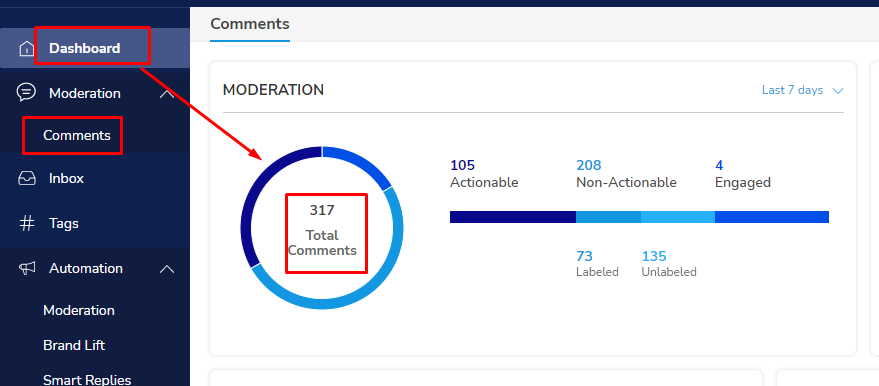
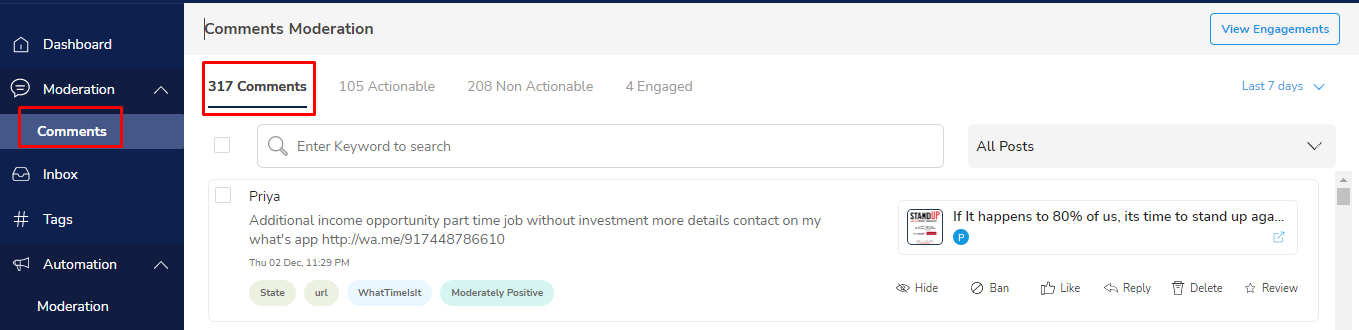
The comment inbox is a window that opens up when you click on total comments on the dashboard or select comments tab from moderation section. The inbox organizes comments into tabs that correspond to the metrics shown on the dashboard. The inbox provides a comprehensive view of how each comment has been labeled by our AI engine and allows the user to use various filters (eg: keywords, intents, sentiments, etc.) to do further analysis.
Labeling indicates that data was labeled for NLP training. We also include all comments that have tags (built with various rules) in the actionable tab. The Comments tab by default will have everything except for comments in the Engagements tab.
Filters
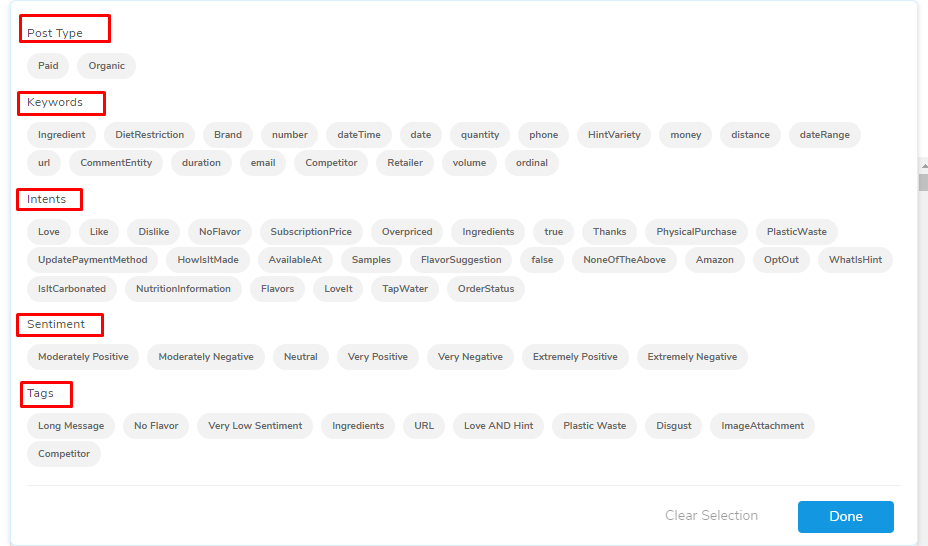
The comment inbox provides the following list of filters to further analyze the comments
- Post Type: Paid or Organic
- Paid: Comments on paid posts
- Organic: Comments from users landing on the page organically
- Intent: Aim/intention of a comment/user
- Keywords: Specific words recognized and flagged in a comment
- Sentiment: A point of view, opinion, feeling, attitude, or thought held or expressed by a user
- Tags: A feature tied to a recommended or automated response
Actions
From the comment inbox, your social care team can take any of the actions shown on each of the comments. If a manual action is taken from the inbox, that comment is moved into the Engagements tab. Here are the various actions you can take from the comment inbox:
- Hide
- Public Reply
- Like
- Ban User
- Delete
- Review
- Hide
- Public Reply
- Delete
- Review
Comments
0 comments
Please sign in to leave a comment.