
Please follow below steps to locate Business Manager ID :
1. Open Meta Business Suite by clicking here.
2. On left menu , click on All tools below insights.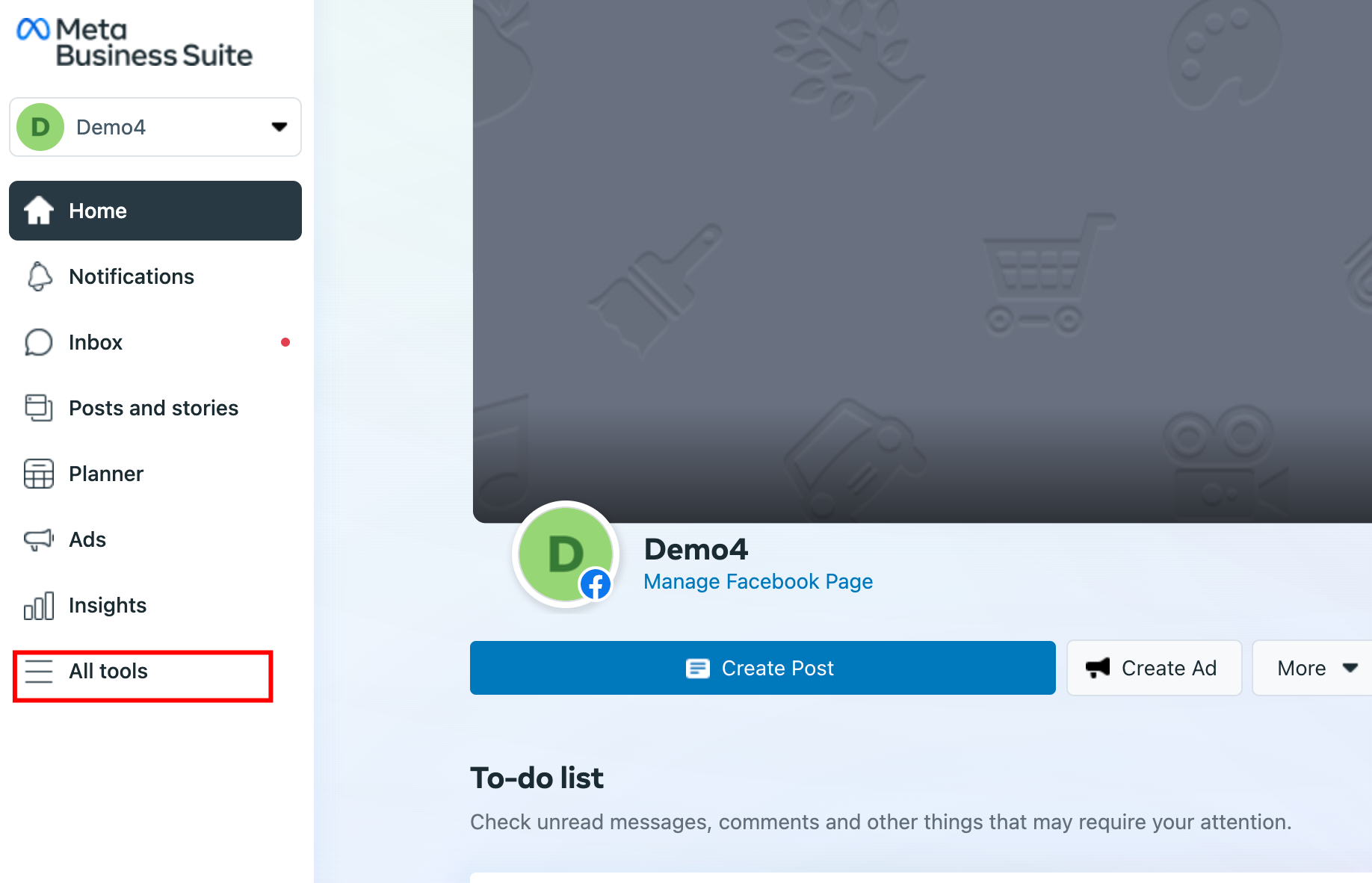
3. Click on Ads Manager.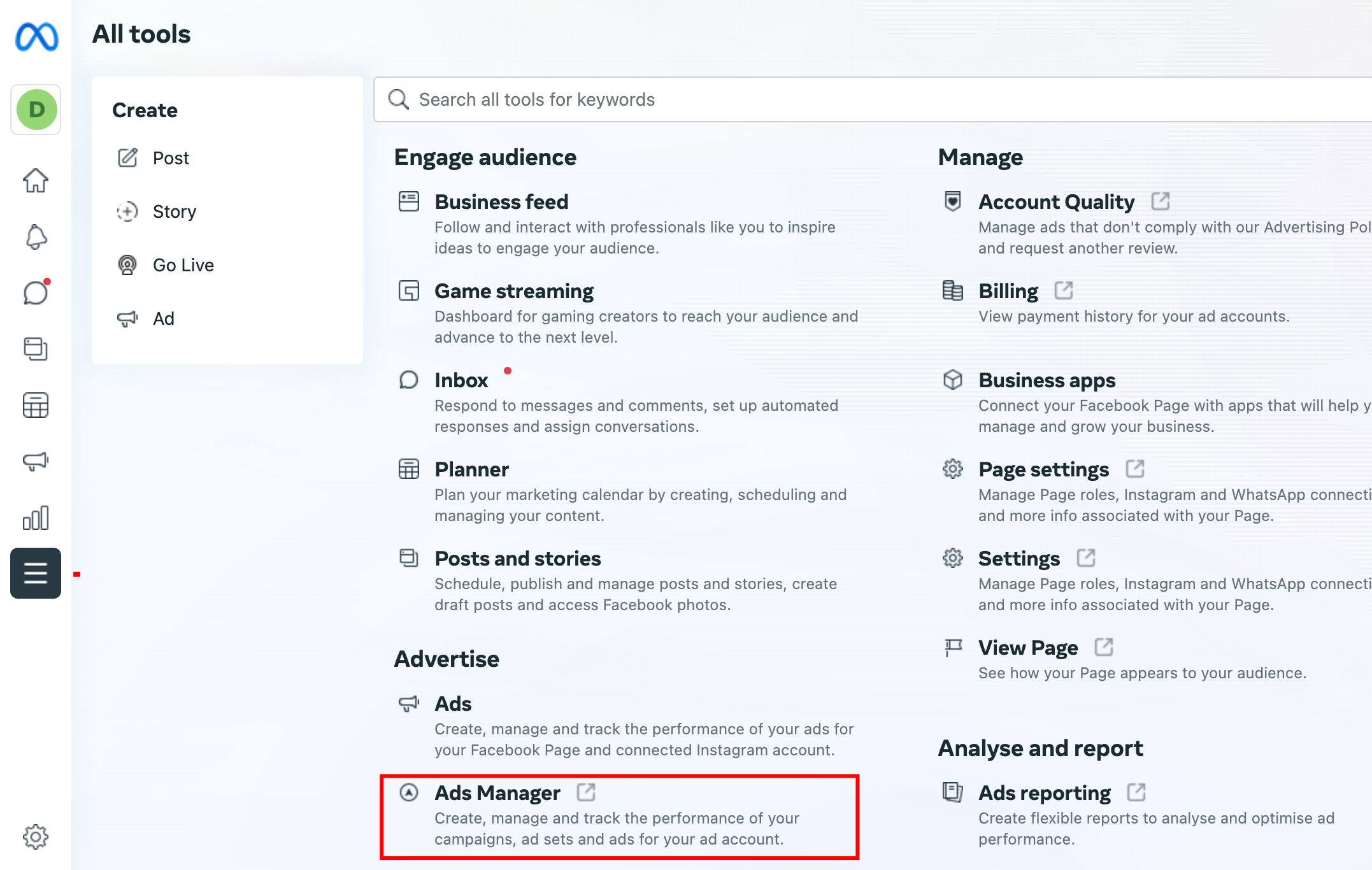
4. On Ads Manager , Click on All tools on the upper left hand side just below the meta logo.
5. Click on Business Settings.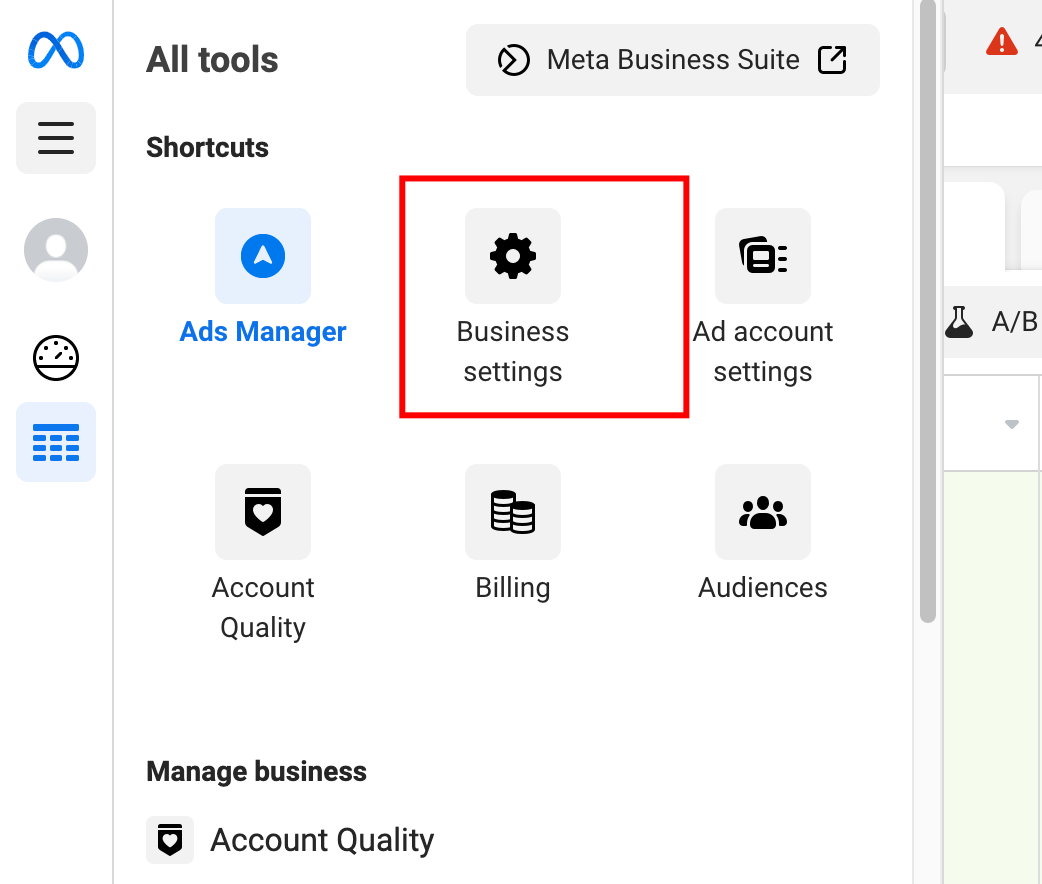
6. At the bottom locate Business info option , click on the same and you will be able to locate the Business ID.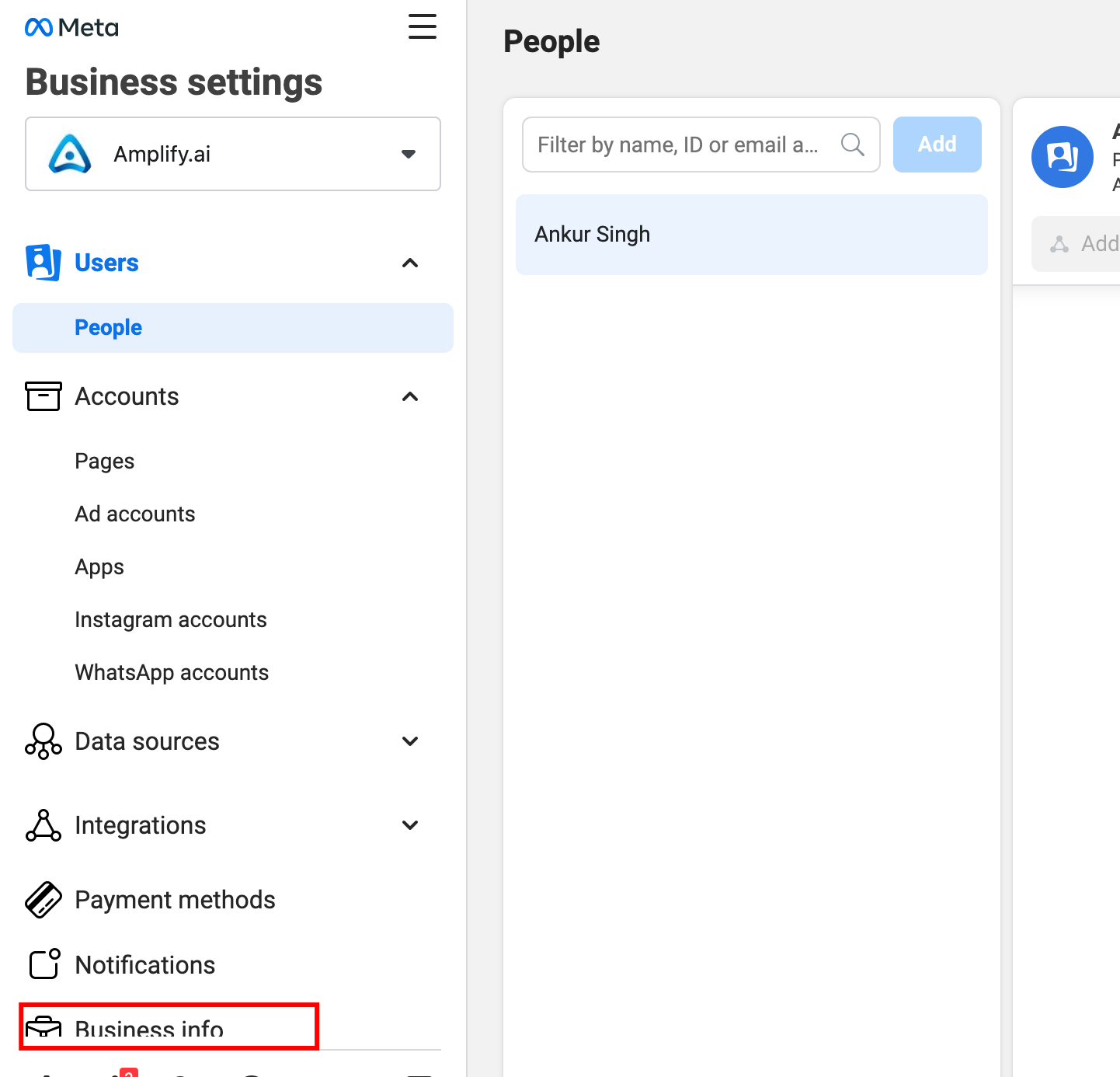
Comments
0 comments
Please sign in to leave a comment.