
Once created, Templates can accessed through the comment inbox when replying to comments or when setting automatic replies through Smart Replies. For information on using Templates in Smart Replies, refer here.
1. Comment Inbox
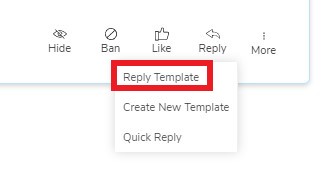
You can use Templates to respond to comments in the comment inbox by clicking on 'Reply' and selecting 'Reply Template.'
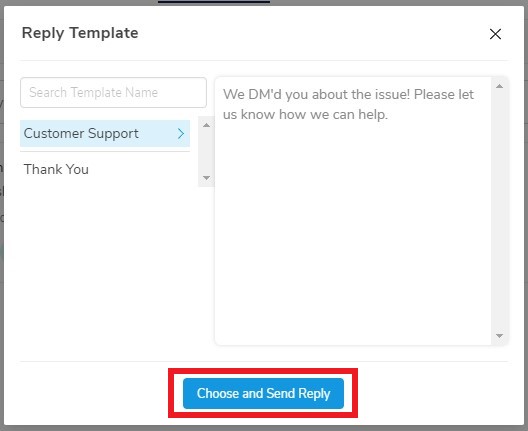
After selecting 'Reply Template,' select the Template you wish to use and then finish the response by selecting 'Choose and Send Reply' at the bottom of the pop up.
2. Smart Replies
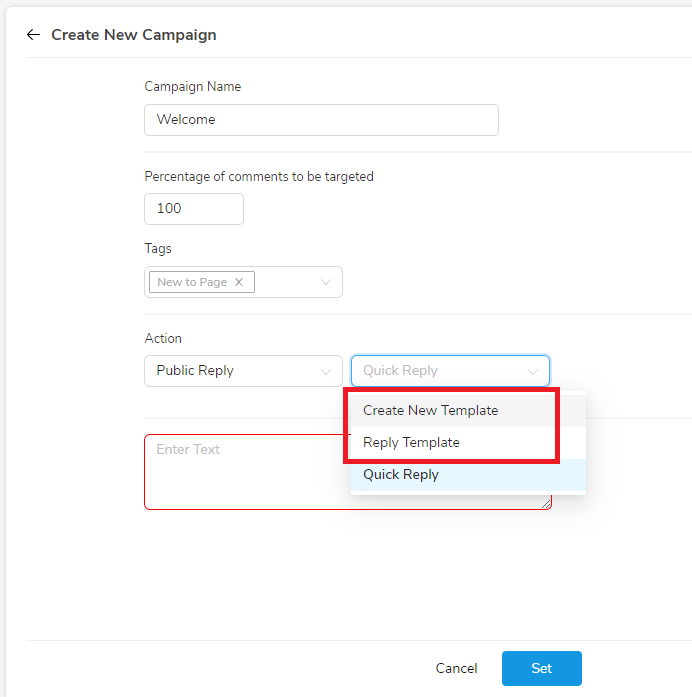
When setting up a Custom Campaign in Smart Replies, toggle over Quick Reply to view the options of 'Create New Template' and 'Reply Template.'
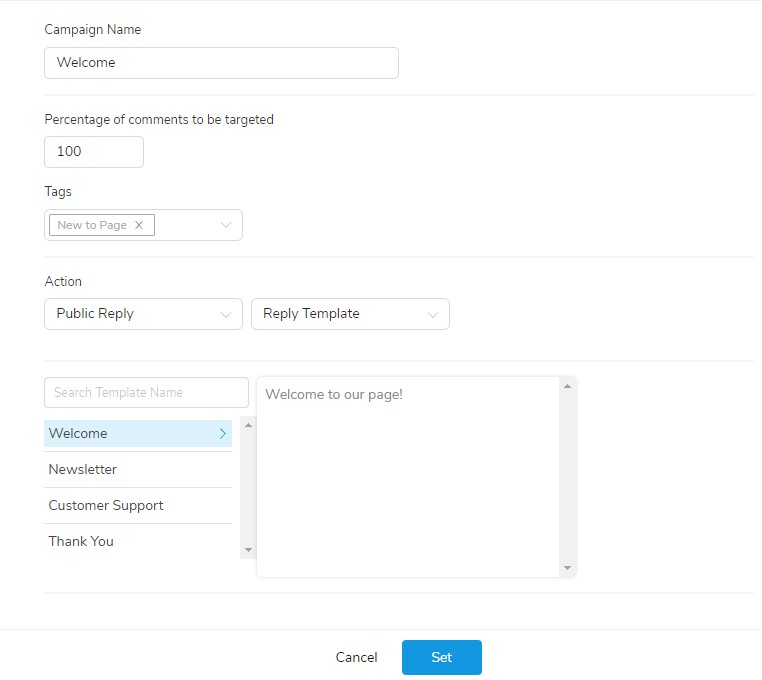
Selecting 'Reply Template' will reveal your saved Templates, as shown below, and will allow you to use a Template as an automated Smart Reply.
For more information on using Smart Replies, refer here.
Comments
0 comments
Please sign in to leave a comment.