
Here are the steps on how to connect an Instagram profile with a Facebook page for users who have the new Facebook interface:
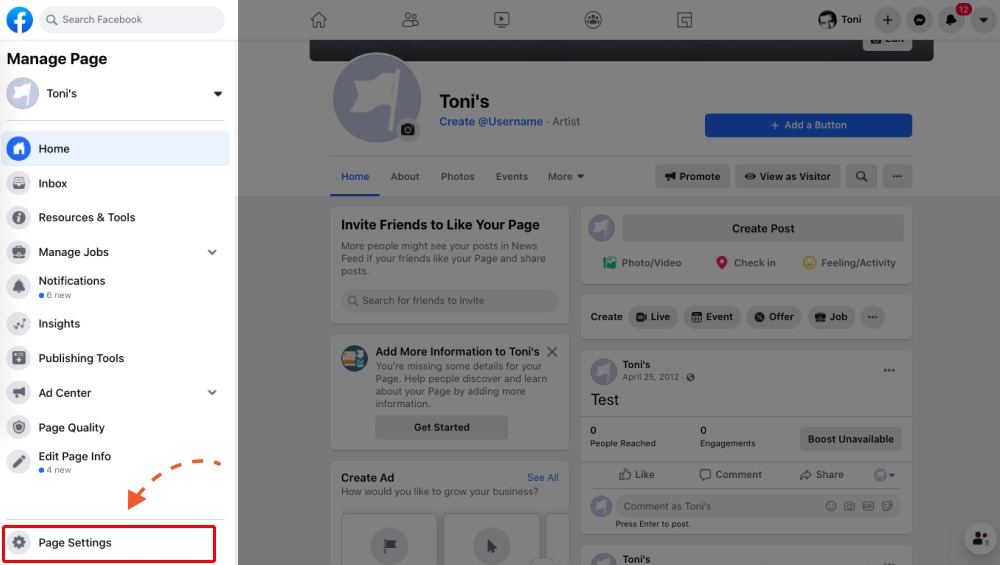
Step 1: Open your Facebook page and click 'Page Settings' in the bottom left corner.
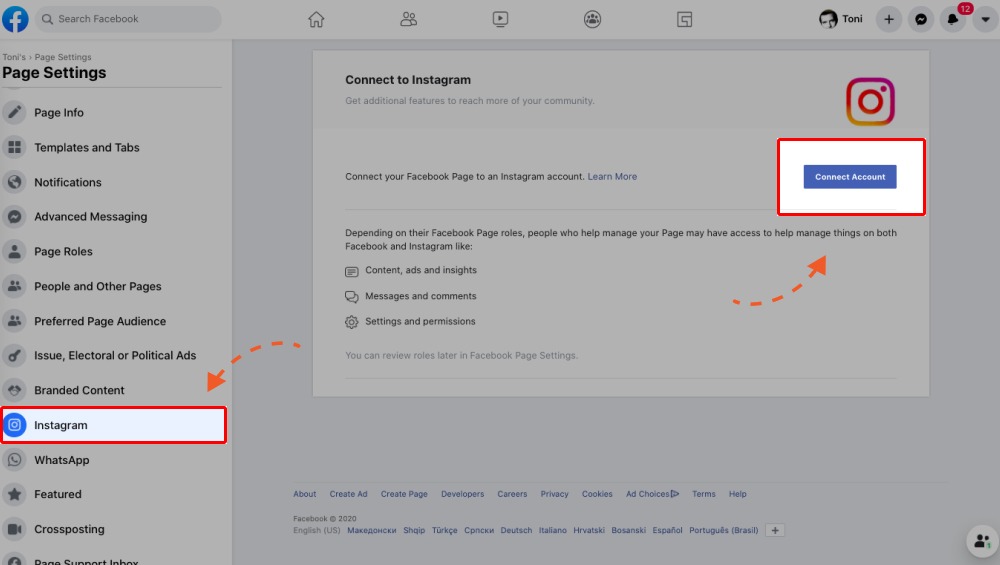
Step 2: In the left-hand menu choose Instagram and click 'Connect Account'.
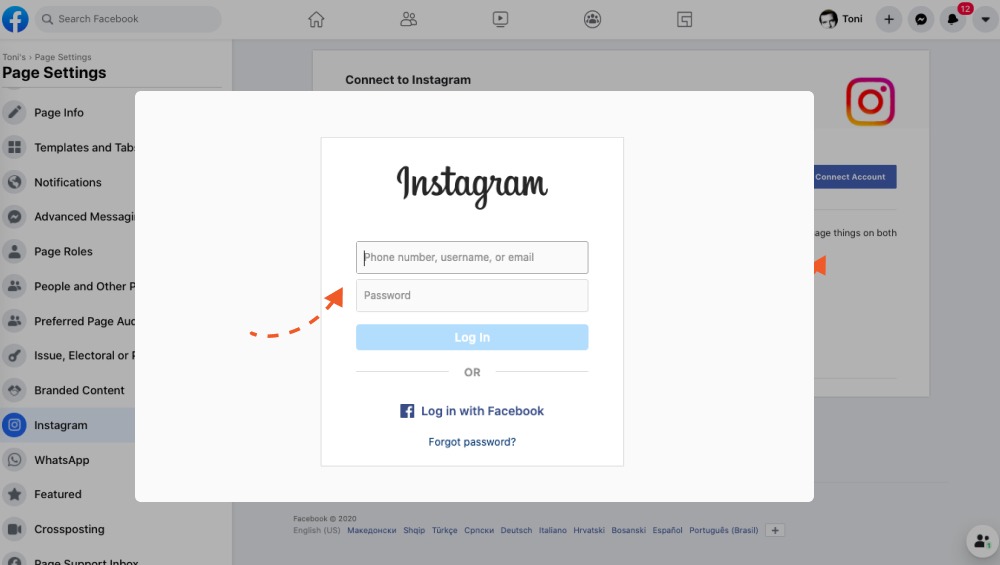
Step 3: A popup will appear where you need to login to your Instagram profile , enter your username and password and click Log In. Post which click Connect account, then click Confirm.
If you're connecting a personal Instagram account to a Page managed in Business Manager, change your Instagram account to a professional one :
- Click Business or Creator account.
- Click Next.
- Click Done.
Once finished you will receive a success message 'You've switched to a business account on Instagram'.
Please note : You must be an admin to connect or disconnect your Facebook Page and Instagram account.
- You can choose to allow Page admins, editors and moderators to read and respond to Instagram comments and direct messages from their Facebook Page Inbox.
- Page admins, editors, moderators and advertisers can create Instagram ads from Facebook, manage comments on those ads.
- Anyone logged in to the connected Instagram account can share Instagram posts to your Page.
- Page admins, editors and moderators can view and manage customers' Instagram contact information in the Contacts tab on Facebook.
Comments
0 comments
Please sign in to leave a comment.