
Segments in 2.0 provide a dynamic and intuitive way to monitor and interact with unique user groups based on variables tagged in their session history.
What Are Segments?
Segments are a reflection of the count of unique users who have a specific variable tagged in their user session or history. They are instrumental in tracking metrics, performing real-time KPI checks, and segmenting users for targeted actions such as exports or broadcasts.
Where to Find Segments?
Segments can be accessed directly from the 2.0 dashboard. Navigate to the dedicated Segments tab on the left column of the dashboard, which offers a consolidated view of all existing segments. This section also provides real-time metric updates and tools for managing your segments efficiently.
How to Create a Segment?
Creating a segment in 2.0 is simple and user-friendly:
-
Navigate to the Segments tab on your dashboard.
-
Click on Create New Segment.
-
Select an easy variable to track (e.g., "User Age" or "Opt In Status").
-
Define the criteria for the segment, such as values or ranges for the selected variable.
-
Save the segment to instantly view the count of unique users who meet the criteria.
Key Features of Segments :
1. Real-Time Metric Updates
Each segment includes a count of unique users that updates in real time. Use the Refresh button to ensure you always see the latest data.
2. Export Segment Users
Segments allow you to export user data seamlessly:
-
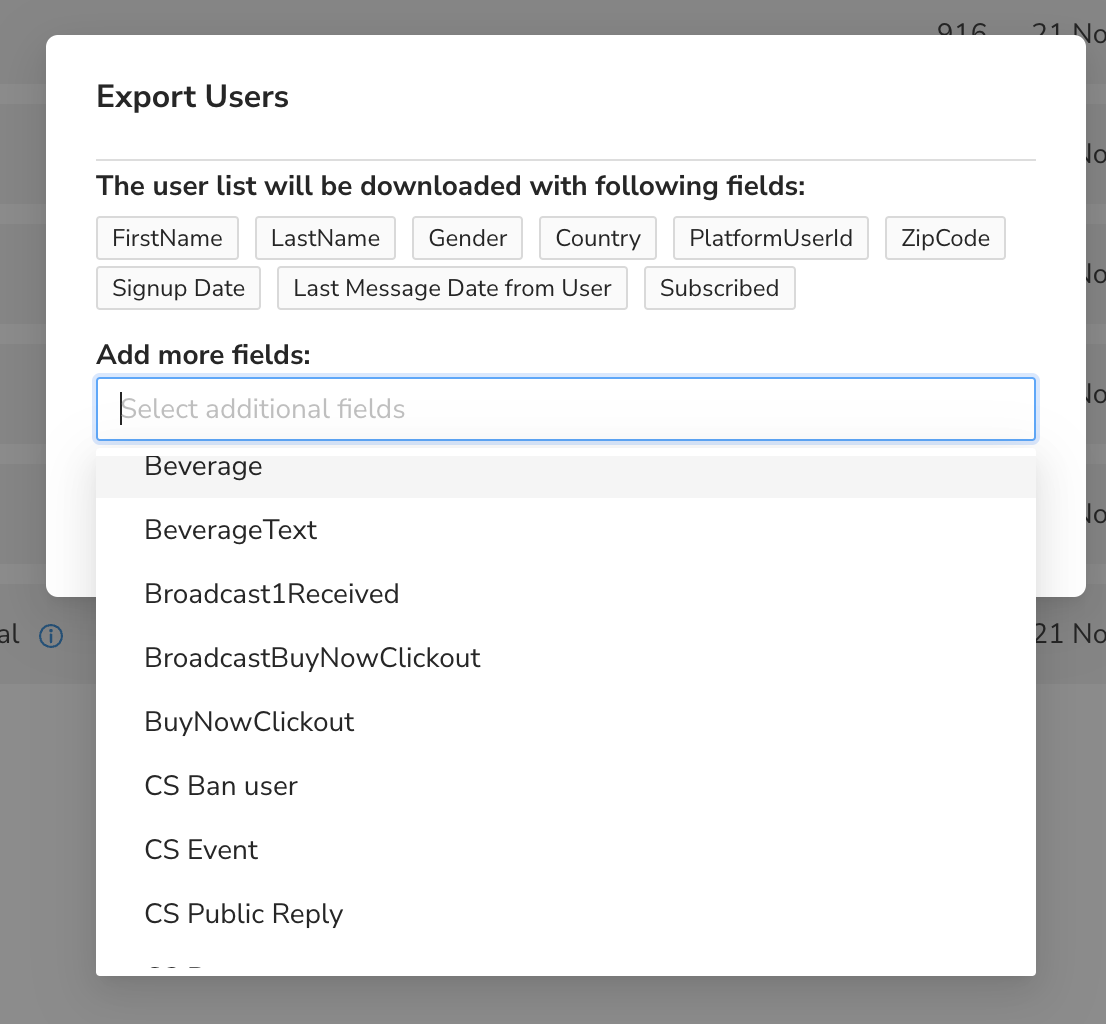
Select a segment and click Export.
-
Choose the additional fields you want to include (e.g., user email, last activity date).
-
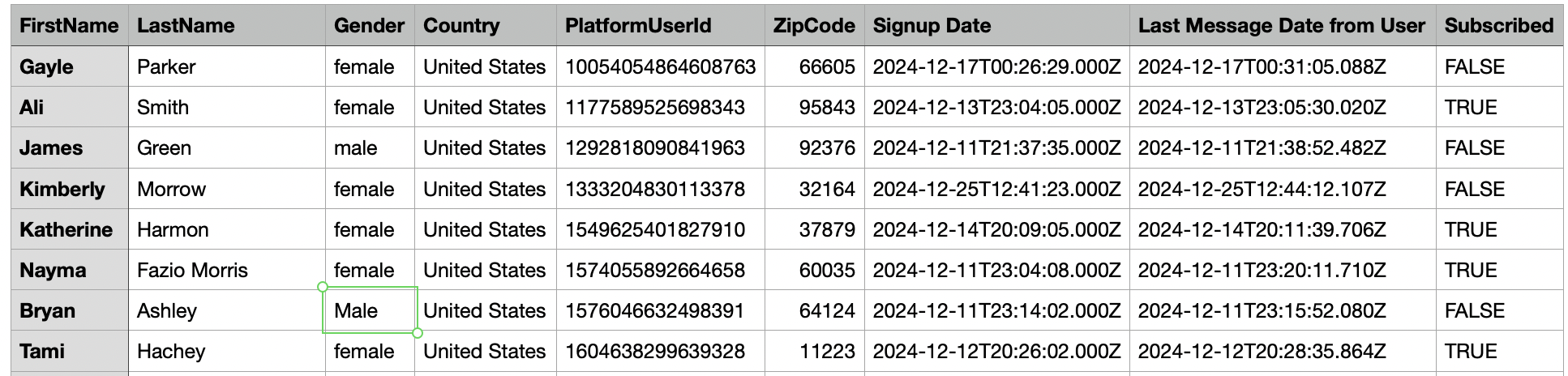
Download a CSV file containing the segmented user data.
- You can also add additonal variables when exporting data.

Uses of Segments :
-
Metric Checks: Segments offer a reliable way to perform real-time KPI checks, ensuring your metrics are always accurate and up-to-date.
-
User Export for Specific Purposes: Easily segment users for targeted exports, such as winner selection or broadcast lists.
-
Broadcast Targeting: Segments can be used in broadcast campaigns for both inclusion and exclusion targeting, providing enhanced precision in your communications.
Note :
Currently, 2.0 does not support adding users directly to a segment via the dashboard. This functionality is managed through the Labels feature, which allows for manual or automated tagging of users outside the Segments module.
Comments
0 comments
Please sign in to leave a comment.