
You can easily create custom tags based on what you observe in terms of daily trends, issues your social care like to tackle, or any activity in your feed that creates a business threat to your brand. Once you create these customs tags and associate a specific action or no action, the product will start showing these tagged comments in the comment inbox. To create additional custom tags, please review the suggested workflow below:
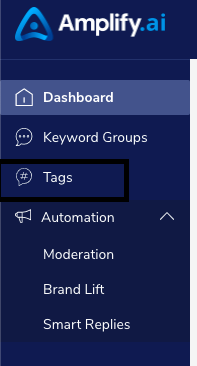
1. Locate 'Tags' on the left navigation panel
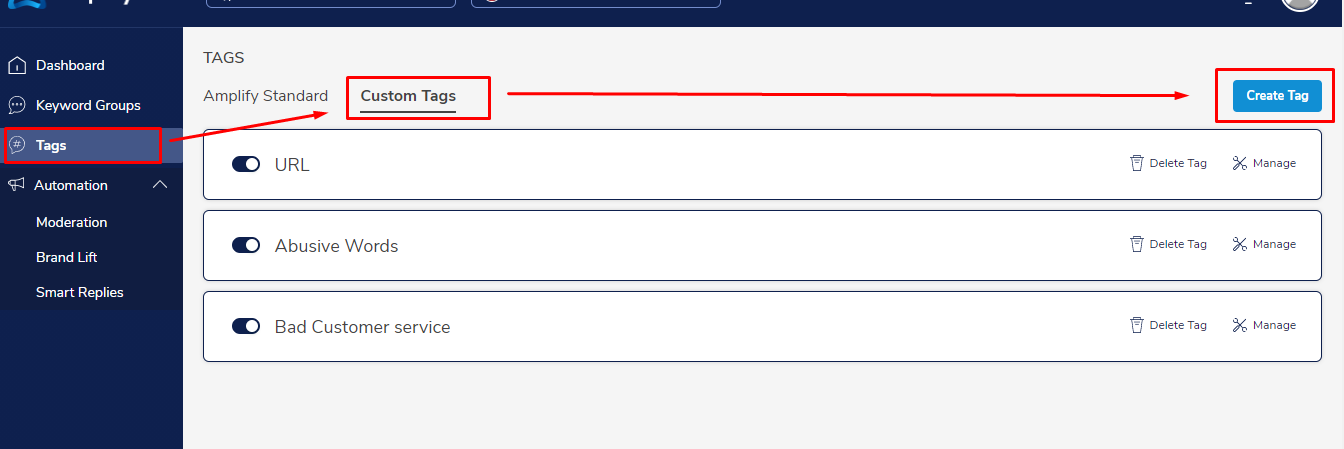
2.Click on custom tags and you will see the 'Create Tag' button on the top right
3. When creating a tag, there are 3 distinct things you should do:
a) Enter the tag name.
b) Set the conditions under the condition tab. Here you can start adding conditions using the
drop-down
c) Locate the 'Suggested Action' drop-down menu and select the appropriate action.
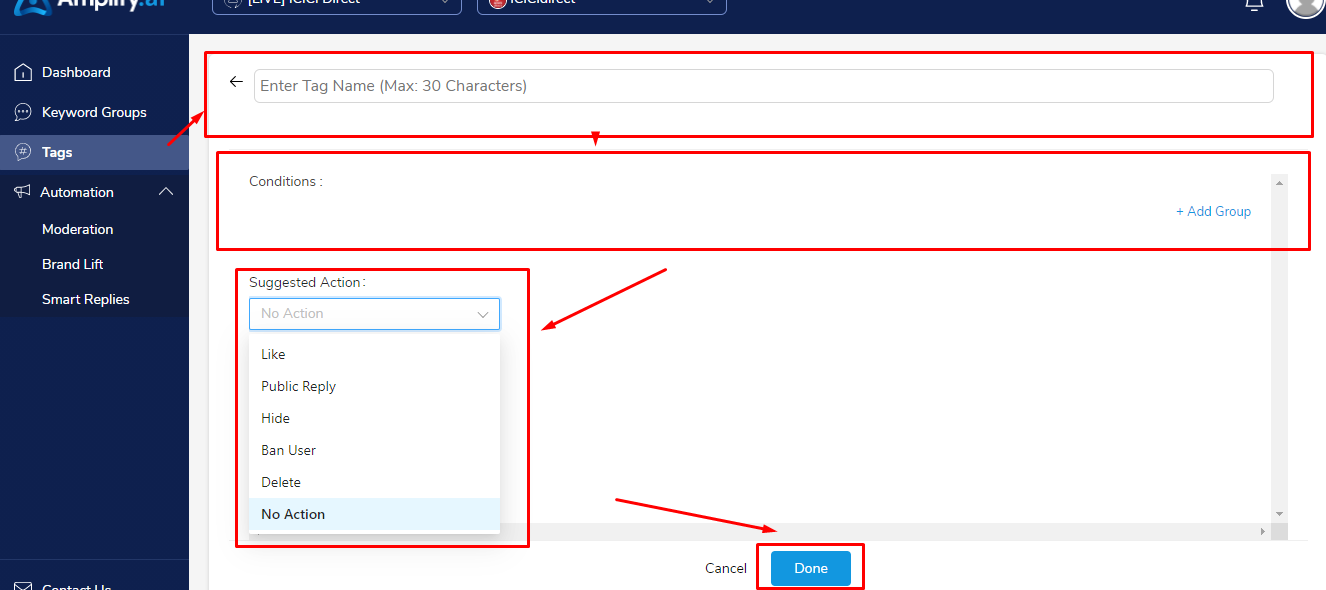
4. Click 'Done' and your tag will be created
5. Make sure the tag is Enabled by checking that the Enable option is on
Comments
0 comments
Please sign in to leave a comment.