
If you wish to create a custom brand lift for a specific set of comment, you can choose the Custom Campaign feature available under Brand Lift. This enables you to target and like comments associated with the specific tag.
To set up a Custom Campaign, first create a tag so that campaign can be targeted.
After creating the tag, select the Brand Lift option from the Automation drop down. You will be able to see Custom Campaign mentioned under brand lift tab. Click on the 'Create Campaign' button.
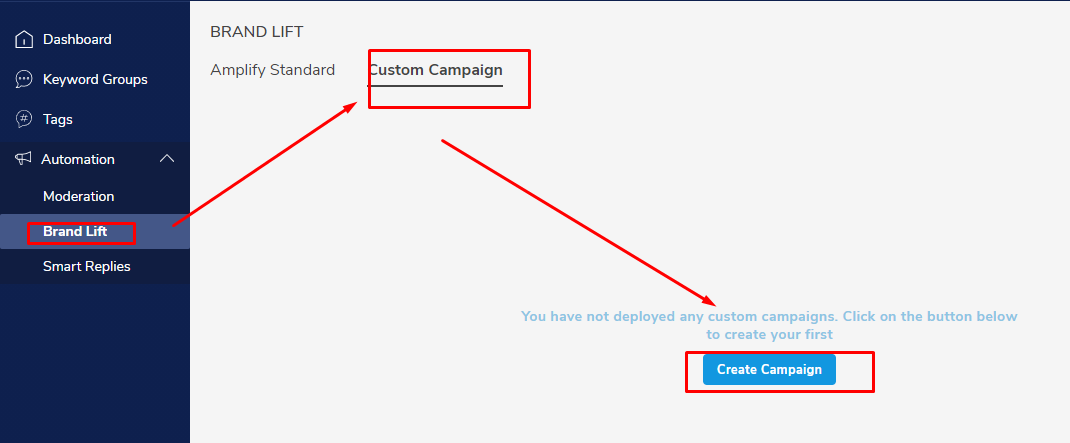
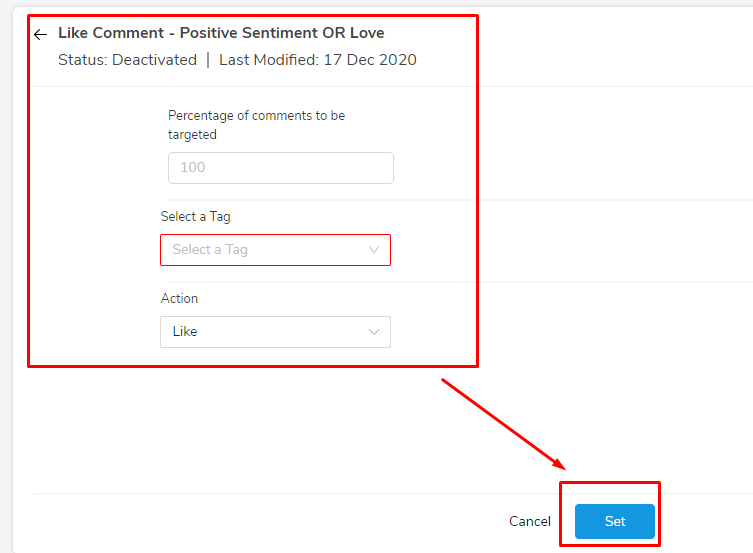
The system will require inputs for the following mandatory fields:
- Campaign Name - Assign a name to the campaign. For example: "Like Comment - Positive Sentiment OR Love"
- Percentage of comments to be targeted - Mention the percentage of comments you wish to target
- Select a Tag - Select a tag from the drop down menu
Once finished with the above fields, click on 'Set' at the bottom of the page.
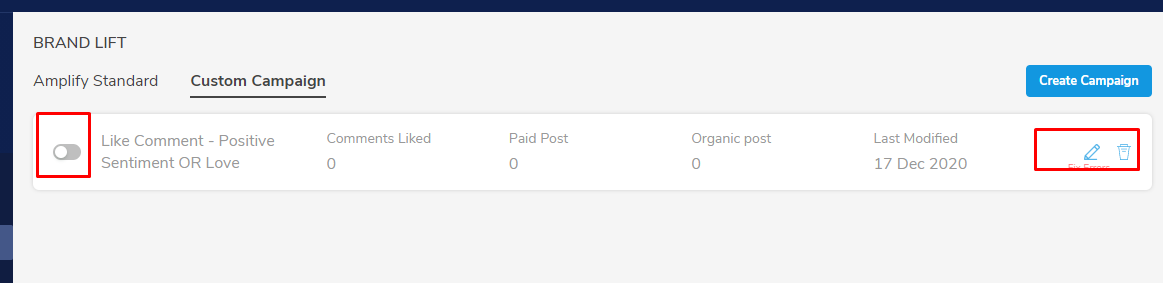
You will be able to see your created campaign under Custom Campaign tab. There, you will be able to set the campaign as active or inactive.
If you wish to edit the campaign, locate the edit option represented through a pen icon at the right side. You will be able to find a delete icon beside the edit option if you wish to delete the campaign.
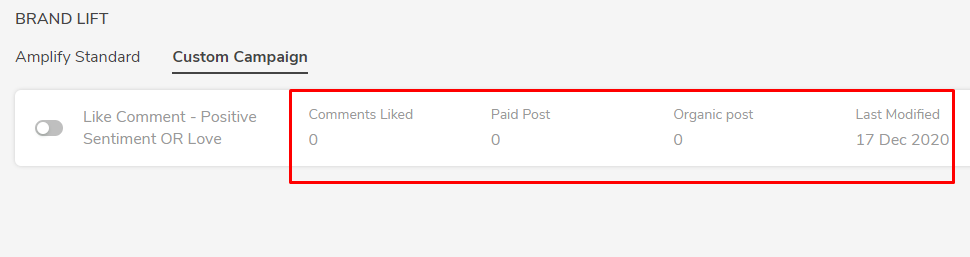
Once the campaign is live, the system will start generating data for the below fields, which can be used for further analysis. This is visible on the very same campaign. Refer the below image.
- Comments Liked
- Paid Post
- Organic Post
- Last Modified
Comments
0 comments
Please sign in to leave a comment.