
In order to unlink the Facebook page or Instagram Account please follow the below steps:
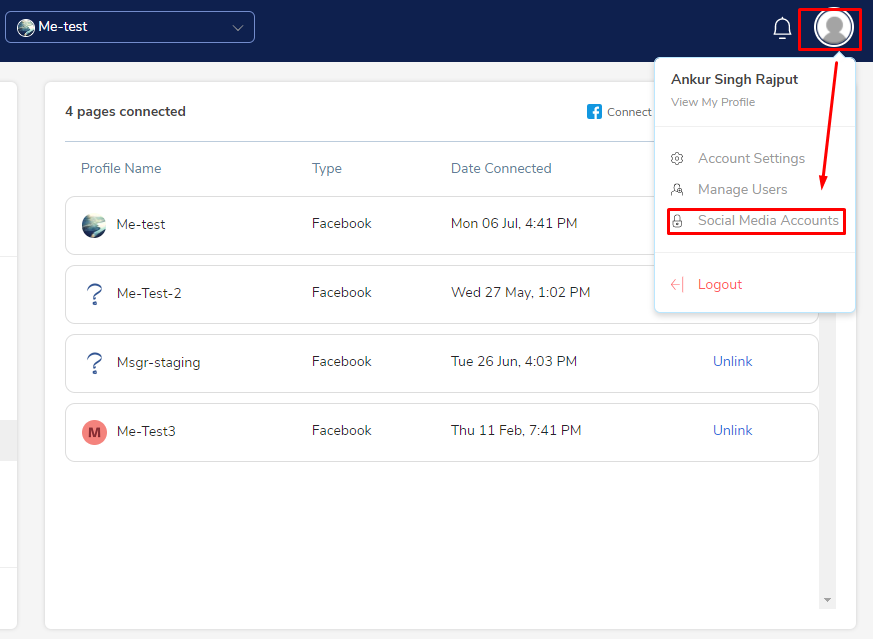
1. Go to your user profile and select 'Social Media Accounts'
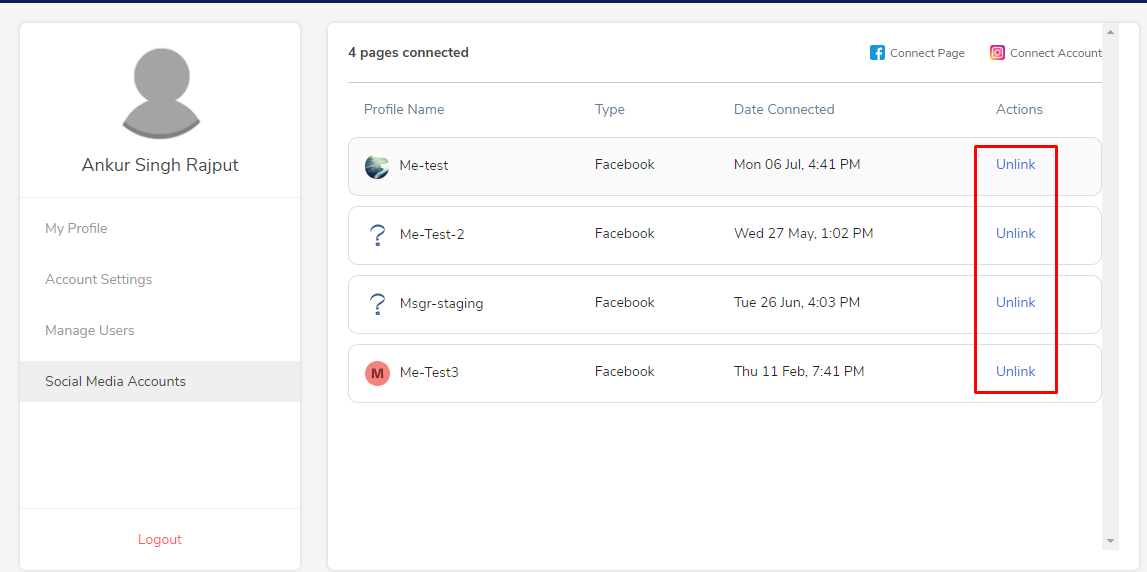
2. Select the page or account you wish to disconnect simply by clicking on the 'Unlink' button
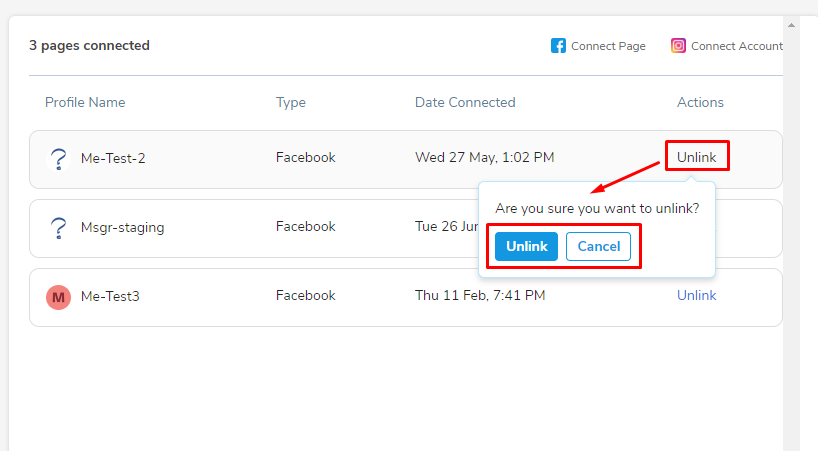
3. A dialog box will appear requesting final confirmation to unlink. Proceed with the confirmation as required and desired page or account will be unlinked
Comments
0 comments
Please sign in to leave a comment.